Introduction
The biggest myth in home automation is that you need to spend thousands of dollars on custom installations, high-end panels, and luxury hardware to enjoy a smart home. In reality, some of the most impactful upgrades cost less than a tank of gas and take less than five minutes to install.
Whether you are living in a rental apartment or managing a single-family home on a tight budget, you don’t need to overhaul your entire lifestyle to experience the convenience of modern technology.
At Homes & Kitchens, our philosophy is Knowledge Before Products. Before buying cheap gadgets that clutter your phone with unhelpful apps, you need to know which low-cost upgrades deliver massive daily convenience and which ones to skip.
The Golden Rules of Budget Smart Home Building
When funds are limited, every dollar counts. Keep these three ground rules in mind before shopping:
- Embrace Retrofitting Over Replacement: Instead of ripping out expensive electrical sockets or custom blinds, look for adapters, smart plugs, and button pushers that make your existing hardware smart.
- Demand Ecosystem Flexibility: Avoid proprietary traps. Look for devices that support open standards like Matter or connect directly to free apps via Wi-Fi or Bluetooth, preventing the need to buy an expensive proprietary hub.
- Focus on High-Friction Points: Only automate things that actually annoy you—such as lamps that require walking across a dark room, porch lights left on overnight, or appliances you forget to turn off.
5 High-Impact, Low-Cost Smart Home Upgrades
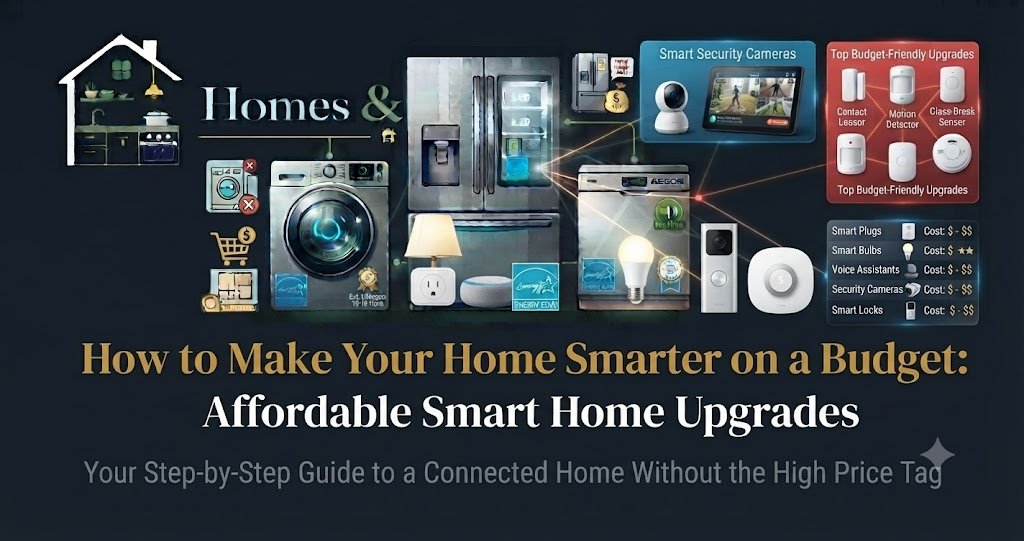
1. Smart Plugs and Power Strips ($10 – $25)
Smart plugs are the undisputed gateway drug of home automation. They plug directly into any standard wall outlet, instantly turning dumb appliances into smart ones.
- What they do: Allow you to control lamps, coffee makers, box fans, and holiday lights via smartphone apps, voice assistants, or automated schedules.
- Why it’s a budget win: For under $15 per plug, you eliminate phantom energy draw, schedule morning routines, and gain voice control without rewiring anything.
- Expert Tip: Look for compact mini smart plugs (like the TP-Link Tapo or Meross lines) so they don’t block the second receptacle on a standard wall outlet.
2. Wi-Fi Smart Bulbs ($10 – $20 per bulb)
If you want to shift bedroom ambiances, create gentle wake-up schedules, or ensure lights turn off when you leave the house, smart bulbs are a cost-effective alternative to smart wall switches.
- What they do: Screw into standard lamp sockets, letting you adjust brightness, color temperature, and color palettes via your phone or voice assistant.
- Why it’s a budget win: They require zero electrical work, making them ideal for renters who can’t swap out light switches.
- Expert Tip: Stick to major budget-friendly, reliable brands like Wiz, TP-Link Tapo, or Ikea Tradfri to ensure stable Wi-Fi or Zigbee connections.
3. Retrofit Button Pushers and Switch Covers ($20 – $35)
Not every appliance or wall switch can be controlled with a smart plug (such as toggle switches or appliances with physical push buttons).
- What they do: Devices like the SwitchBot or Fingerbot physically press buttons or flip rocker switches for you.
- Why it’s a budget win: They let you automate garbage disposals, desktop PCs, coffee makers, and garage buttons without calling an electrician or replacing hardware. They attach simply with adhesive tape and run on replaceable batteries.
4. Smart Door Sensors ($15 – $25)
Security on a budget starts with knowing when entry points open and close.
- What they do: Small magnetic contact sensors split into two pieces—one on the door/window frame, one on the moving door. They alert your phone instantly if opened unexpectedly.
- Why it’s a budget win: They act as an affordable intrusion warning system and can be tied into routines (e.g., turning on a hallway light automatically when the front door opens after dark).
5. Smart Thermostat Add-Ons or Budget Thermostats ($70 – $90)
While luxury smart thermostats can cost up to $250, budget-conscious options like the Amazon Smart Thermostat or basic C-wire compatible models offer massive utility.
- What they do: Automatically adjust heating and cooling based on your schedule and when you are away from home.
- Why it’s a budget win: They pay for themselves within two heating/cooling seasons by trimming 8% to 15% off utility bills.
Comparison Table: Budget Upgrades vs. Luxury Counterparts
| Upgrade Category | Budget Option ($10–$35) | Luxury Option ($150–$300+) | Is the Budget Version Worth It? |
| Lighting Control | Smart Bulbs / Smart Plugs | Hardwired Smart Switches | Yes (Bulbs/plugs are non-invasive and cheaper) |
| Appliance Control | Retrofit Button Pushers | Smart-enabled appliances | Yes (Saves you from buying a new $1,000 gadget) |
| Climate Control | Basic Budget Thermostats | AI-Learning Flagship Thermostats | Conditional (Basic schedules save just as much money) |
| Security | Magnetic Door Sensors | Professional Monitored Alarm Kits | Yes (Great for basic perimeter awareness) |
Step-by-Step Blueprint: Building a $100 Smart Home
If you want to transform a standard apartment or small home into a responsive smart space for around $100 total, follow this phased shopping list:
- The Brain & Voice Hub ($30): Pick up an entry-level smart speaker like an Amazon Echo Dot or Google Nest Mini. This gives you voice control and a central app dashboard.
- The Living Room Pack ($25): Buy a 4-pack of budget Wi-Fi smart plugs to manage your floor lamps, living room fans, and television power strips.
- The Bedroom Ambiance ($15): Install a single color-changing smart bulb in your bedside lamp to support wind-down and gentle wake-up routines.
- The Entryway Security ($30): Add a wireless magnetic door sensor and a budget indoor motion sensor to track comings and goings.
Common Mistakes to Avoid on a Budget
- Buying Unbranded “Mystery” Tech: Saving $3 on an unknown brand of smart plug from a obscure online marketplace introduces fire hazards and security vulnerabilities. Stick to reputable, budget-friendly tech brands (TP-Link, Wyze, Wiz, SwitchBot).
- Forgetting to Check Wi-Fi Coverage: Buying smart devices won’t help if your router can’t reach your garage or back porch. Ensure your core Wi-Fi signal is strong before stacking cheap IoT devices onto it.
- Over-Automating on Day One: Don’t build complex conditional automations immediately. Start with simple voice commands and basic time-based schedules.
Frequently Asked Questions
How can I make my house smart without spending a lot of money?
Start small by targeting high-frequency inconveniences. Buy a pack of smart plugs for lamps and fans, or swap out a couple of bulbs for app-controlled options. You do not need to buy expensive hubs or professional installation packages to get started.
Do cheap smart devices require a monthly subscription?
Most budget smart plugs, bulbs, and basic sensors do not require subscriptions. Subscription fees are typically reserved for advanced cloud storage on security cameras or 24/7 professional alarm monitoring services.
Can renters use budget smart home upgrades?
Absolutely. Budget smart home tech is inherently renter-friendly because items like smart plugs, smart bulbs, magnetic contact sensors, and button pushers attach with simple adhesive or plug directly into standard outlets without requiring permanent alterations or electrical work.
Final Verdict & Recommendation
Making your home smarter on a budget is entirely achievable. By bypassing expensive proprietary ecosystems and focusing on versatile, low-cost tools like smart plugs, Wi-Fi bulbs, and retrofit pushers, you can build a responsive, energy-efficient living environment for a fraction of the cost.
Key Takeaways
- Prioritize Retrofits: Use adapters and plug-in devices to modernize existing appliances without expensive replacements.
- Keep It Modular: Buy devices one by one to test utility and ensure they integrate smoothly into your preferred smartphone app.
- Avoid Subscription Traps: Stick to hardware that operates fully without mandatory monthly cloud fees.
Conclusion
Smart living is about improving comfort and efficiency, not emptying your bank account. By taking a thoughtful, phased approach to budget upgrades, you can create a customized automated home that feels high-end while keeping your finances firmly in check.