
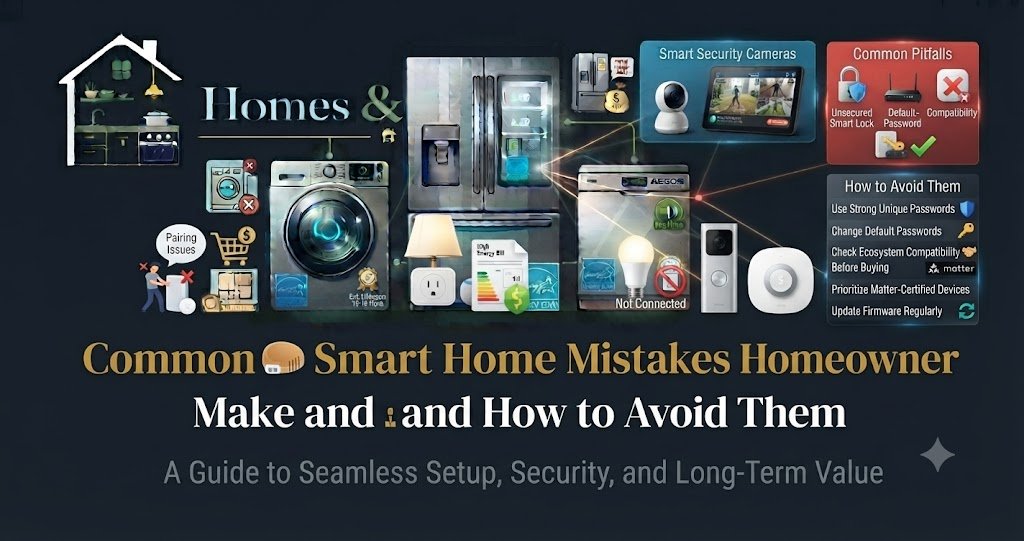
Introduction
Getting swept up in the excitement of home automation is easy. Unboxing a sleek video doorbell, screwing in color-changing light bulbs, or setting up a voice assistant feels like stepping straight into the future.
However, many homeowners quickly run into frustration. Their Wi-Fi crashes when guests arrive, smart lights refuse to talk to their security cameras, and family members struggle to turn on a lamp because an app update locked up.
At Homes & Kitchens, our philosophy is Knowledge Before Products. Before you expand your device collection or fix a malfunctioning routine, you need to understand the most common pitfalls homeowners encounter and how to avoid them from day one.
1. Overlooking Underlying Network Capacity
The single most common mistake homeowners make is assuming their standard internet service provider (ISP) router can effortlessly handle thirty to fifty new connected devices.
- The Problem: Traditional single-router setups are designed for high bandwidth across a few computers and phones, not constant background pings from dozens of IoT (Internet of Things) devices. When your network gets overloaded, devices drop offline, security camera streams lag, and voice commands fail.
- How to Avoid It: Before stacking up on smart gadgets, invest in a robust mesh Wi-Fi system (such as Eero, Nest Wifi, or TP-Link Deco). Mesh networks distribute strong, stable signals across your entire home footprint, ensuring every smart plug and sensor stays connected.
2. Mixing Unrelated Ecosystems Without a Plan
Buying smart devices haphazardly—a light bulb from Brand A, a thermostat from Brand B, and a lock from Brand C—often creates a frustrating digital patchwork.
- The Problem: Mismatched hardware forces you to juggle four different smartphone apps just to adjust your living room environment. Furthermore, proprietary devices frequently refuse to communicate with one another.
- How to Avoid It: Choose a primary ecosystem hub (Amazon Alexa, Google Home, or Apple HomeKit) to anchor your setup. Additionally, always look for devices certified under the Matter and Thread standards, which ensure cross-platform compatibility and smooth local communication.
3. Eliminating Physical Manual Switches
In an effort to achieve a futuristic, button-free home, some DIYers replace standard wall light switches with app-only smart switches or cover physical toggles with smart button guards.
- The Problem: When your internet drops or a cloud server goes down, app-dependent switches become completely unresponsive. Worse, guests, children, and elderly family members get stranded in the dark because they don’t have your smartphone or voice app installed.
- How to Avoid It: Never remove the ability to control home fixtures manually. Always choose smart switches or smart bulbs that retain traditional physical clicking functionality alongside their digital smart features.
4. Ignoring Cloud Dependency and Privacy Risks
Many budget-friendly smart devices route every minor command—even turning on a lamp in the next room—through distant corporate cloud servers.
- The Problem: If your internet connection cuts out, your smart home stops working entirely. Furthermore, routing all data and security camera footage through external servers increases privacy vulnerabilities.
- How to Avoid It: Prioritize devices that support local processing (such as Zigbee, Z-Wave, or Thread protocols) so your automations execute directly within your home network. For security cameras, opt for local microSD card storage or end-to-end encrypted cloud plans (like Apple HomeKit Secure Video).
5. Falling Into Subscription Fatigue
Buying hardware is only half the battle; the ongoing costs can quietly sneak up on you.
- The Problem: Many homeowners purchase feature-rich security cameras, automated lawn mowers, or advanced smart locks, only to discover later that vital features—like cloud video history, motion zones, or remote alerts—require recurring monthly subscription fees.
- How to Avoid It: Read the fine print before buying hardware. Calculate the five-year cost of ownership, including mandatory or optional subscription tiers, and prioritize devices that offer robust core functionality without monthly fees.
Smart Home Pitfalls and Solutions Matrix
| Common Mistake | Root Cause | Consequence | How to Fix It |
| Wi-Fi Overload | Standard ISP router | Dropped connections, lagging cameras | Upgrade to a multi-node mesh Wi-Fi system |
| Ecosystem Clutter | Buying random brands | Multiple conflicting apps, zero sync | Anchor to one hub; insist on Matter standards |
| No Manual Switches | Over-automating fixtures | Family stranded in the dark during outages | Install smart switches that preserve physical clicks |
| Cloud Dependency | Internet-only routing | System failure during broadband outages | Utilize local protocols (Zigbee, Z-Wave, Thread) |
| Subscription Traps | Overlooking app fees | High recurring monthly costs | Audit hardware features before purchasing |
6. Over-Automating Everything on Day One
Trying to automate every single room, light, and appliance the moment you unbox your first smart speaker often leads to configuration fatigue.
- The Problem: Complex conditional routines (“If the kitchen humidity rises above 60% and the back door unlocks after sunset, flash the hallway lights”) are difficult to troubleshoot when they inevitably misfire.
- How to Avoid It: Start slow. Master basic voice commands and simple time-based schedules for high-impact areas like entryways and living rooms before building intricate, multi-device automations.
7. Forgetting Basic Maintenance (Batteries and Firmware)
Smart devices require ongoing care just like traditional home appliances.
- The Problem: Ignoring battery-powered sensors or skipping security firmware updates leaves your home vulnerable to sudden lockouts or cyber threats.
- How to Avoid It: Set a calendar reminder every six months to check and replace batteries in smart locks, door sensors, and smoke detectors. Additionally, enable automatic firmware updates in your device companion apps.
Frequently Asked Questions
Why do my smart devices keep disconnecting?
Frequent disconnections are almost always caused by weak Wi-Fi signal strength, router bandwidth congestion from too many connected devices, or outdated firmware. Upgrading to a mesh Wi-Fi network and updating your device software typically resolves the issue.
Should I mix different smart home brands?
Yes, you can mix brands safely as long as they integrate into a unified ecosystem hub (like Apple Home, Google Home, or Amazon Alexa) or support the universal Matter connectivity standard. Avoid unverified off-brand gadgets that lack interoperability credentials.
How do I fix smart home Wi-Fi overload?
To relieve router strain, move non-essential devices to a separate guest network band, upgrade to a mesh Wi-Fi system, or transition compatible devices to local low-power mesh protocols like Zigbee, Z-Wave, or Thread.
Final Verdict & Recommendation
Building a reliable smart home isn’t about buying the most expensive gadgets on the market; it is about avoiding architectural and technical missteps. By investing in strong network infrastructure, preserving manual physical controls, prioritizing local processing, and sticking to open standards like Matter, you create a responsive, stress-free automated living environment.
Key Takeaways
- Network First: Always ensure your Wi-Fi router or mesh system can handle heavy IoT device traffic before buying hardware.
- Keep Manual Control: Never install smart fixtures that eliminate traditional physical light switches.
- Watch Out for Subscriptions: Calculate long-term cloud storage and monitoring fees before purchasing cameras or security systems.
Conclusion
Smart home technology should eliminate daily friction, not create new technical headaches. By recognizing these common pitfalls and planning your setup with foresight and structure, you can enjoy a seamless, secure, and highly efficient automated home.