Introduction
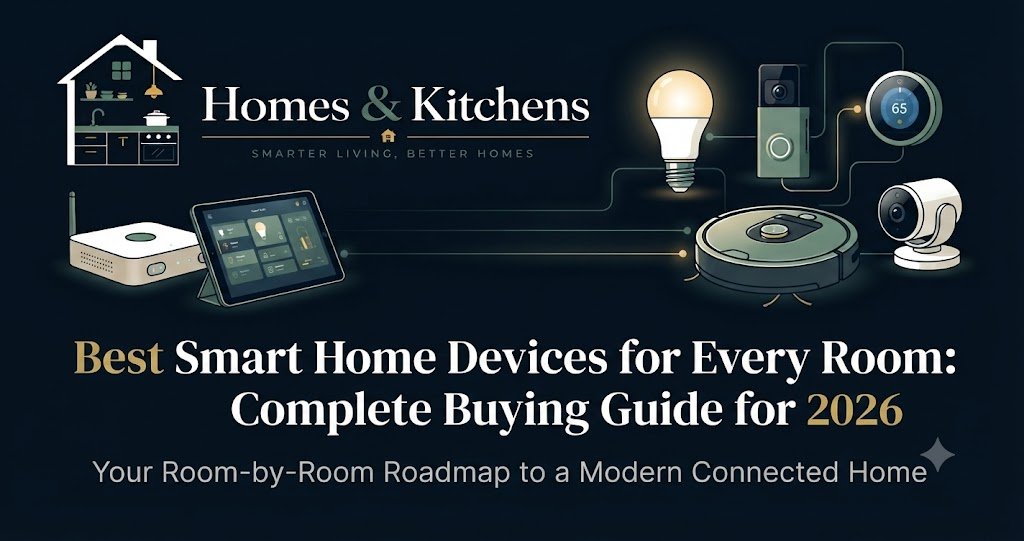
Modern home automation has moved far beyond the novelty phase of shouting across a room to turn on a single light bulb. Today, a well-designed smart home functions as an integrated, responsive ecosystem that quietly works in the background to lower utility bills, secure your property, and simplify everyday routines. Yet, stepping into the world of smart home technology can easily feel overwhelming. Between competing wireless protocols, proprietary vendor silos, and a continuous stream of new gadgets, it is entirely too easy to spend hundreds of dollars on hardware that fails to talk to itself.
At Homes & Kitchens, we believe in Knowledge Before Products and Research Before Opinion. Building a reliable smart home is not about buying the most expensive device on the market; it is about choosing reliable hardware that solves daily inconveniences, respects your digital privacy, and integrates seamlessly into your life.
Whether you are setting up your first apartment, managing a busy family household, or retrofitting a historic house without tearing into the walls, this comprehensive guide will walk you through the essential smart home categories, architectural protocols like Matter, and room-by-room recommendations designed to stand the test of time.
Understanding the Modern Smart Home Ecosystem
Before purchasing a single smart plug or video doorbell, you must understand the foundational layer of any automated home: the ecosystem and the communication protocols.
The Big Three Platforms
Every smart device relies on a central controller or “ecosystem” to manage automations, voice commands, and remote access. The three dominant platforms are:
- Amazon Alexa: Known for the widest device compatibility and an extensive library of third-party skills. It is an exceptional choice if you want budget-friendly smart speakers and broad hardware support.
- Google Home (Powered by Gemini AI): Offers industry-leading voice recognition and contextual intelligence, making it ideal for natural-language commands and households deeply integrated with Google services or ADT security.
- Apple Home (HomeKit): The gold standard for data privacy. Apple processes most commands locally on your home hub (Apple TV or HomePod) and uses end-to-end encryption, making it the top choice for iPhone and Mac users.
The Game-Changer: The Matter Protocol
For years, buying a smart device meant checking the box to see if it worked exclusively with Alexa, Google, or Apple. The introduction and maturation of the Matter standard (backed by versions up to Matter 1.5 and beyond) has largely solved this fragmentation.
Matter is an open-source, IP-based connectivity standard that allows devices from different manufacturers to communicate locally without relying on cloud servers. When shopping for new hardware, prioritizing Matter-certified devices ensures your investment remains future-proof, interoperable, and fast.
Smart Home Device Comparison Matrix
| Category / Device | Primary Protocol | Best Ecosystem Support | Average Price | Standout Feature |
| Thermostat: Ecobee Smart Thermostat Premium | Wi-Fi / Matter / Thread | All Major Platforms | $250 | Includes air quality monitor and remote room sensor |
| Lighting: Philips Hue White & Color Ambiance | Zigbee / Matter / Bluetooth | All Major Platforms | $50–$200 | Industry-leading reliability and smooth dimming curves |
| Security Camera: Arlo Pro 6 | Wi-Fi | Alexa, Google, Apple | $200–$250 | 160-degree field of view and advanced local/cloud AI |
| Smart Lock: Yale Assure Lock 2 | Matter over Wi-Fi/Thread | All Major Platforms | $160–$230 | Compact physical footprint that looks like a standard deadbolt |
| Smart Plug: TP-Link Tapo P110M | Matter over Wi-Fi | All Major Platforms | $15–$25 | Compact design with built-in energy monitoring |
Essential Smart Devices by Room
1. The Entryway & Exterior: Security and Access Control
Your home’s first line of defense begins at the front door. Smart entryway devices combine physical security with remote management, letting you monitor packages, grant temporary access to dog walkers, and verify that the door is locked from anywhere in the world.
Best Overall Smart Lock: Yale Assure Lock 2
- Why We Chose It: The Yale Assure Lock 2 strikes the optimal balance between high-tech convenience and architectural subtlety. Unlike bulky motorized deadbolts that scream “smart home,” the Yale unit maintains a sleek, traditional exterior profile available in multiple finishes.
- Key Features: Supports multi-platform integration (Matter via modular plug-in radio cards), auto-locking routines, PIN code management, and key-free or keyed entry variants.
- Limitations: Advanced features like auto-unlock via geofencing require a stable Bluetooth connection to your phone, which can occasionally experience slight latency depending on your smartphone operating system.
Best Video Doorbell: Google Nest Doorbell (Wired, 3rd Gen)
- Why We Chose It: For homeowners embedded in the Google ecosystem, the latest wired Nest Doorbell leverages Gemini AI to deliver precise, intelligent notifications that distinguish between people, packages, animals, and vehicles without inundating your phone with false alarms.
- Key Features: Sharp 2K vertical video resolution, a generous field of view capturing packages left directly on the doorstep, and continuous local event history options.
- Limitations: Requires existing low-voltage doorbell wiring (16–24 VAC) for optimal performance; battery-operated versions require periodic recharging.
2. The Living Room: Comfort, Atmosphere, and Entertainment
The living room is where families gather, making it the prime zone for automated lighting scenes, climate regulation, and media control.
Best Smart Thermostat: Ecobee Smart Thermostat Premium
- Why We Chose It: Maintaining a comfortable living space shouldn’t require constantly adjusting the dial. The Ecobee Premium features a stunning glass-front design, a radar-based occupancy sensor, and an included SmartSensor to balance hot and cold spots in distant bedrooms.
- Why It Stands Out: Beyond temperature control, it functions as an indoor air quality monitor, tracking volatile organic compounds (VOCs) and carbon dioxide levels to alert you when it is time to ventilate the house.
- Ecosystem Compatibility: Native support for Apple Home, Amazon Alexa, and Google Home via Matter.
+-----------------------------------------------------------------+
|                       ECOBEE PREMIUM SETUP                      |
|                                                                 |
|   [Main Thermostat] <---> [SmartSensor in Bedroom]              |
|          |                                                      |
|          v                                                      |
|   [App / Cloud] ---> [HVAC System (Furnace / AC)]               |
|          |                                                      |
|          v                                                      |
|   [Matter Local Mesh] ---> [Smart Vents / Air Purifiers]        |
+-----------------------------------------------------------------+
Best Smart Lighting System: Philips Hue White and Color Ambiance
- Why We Chose It: While cheaper smart bulbs exist, Philips Hue remains the undisputed king of smart lighting due to its dedicated Zigbee mesh network. Instead of clogging your home Wi-Fi router with dozens of individual connections, Hue bulbs communicate through a central bridge, ensuring instantaneous response times and zero lag when turning off lights across the house.
- Best For: Creating circadian lighting curves that transition from energizing cool white light in the morning to warm, amber tones in the evening.
3. The Kitchen: Efficiency and Utility Management
Kitchen automation should reduce cognitive load during food preparation and protect your home from costly plumbing disasters.
Best Smart Plug for Appliances: TP-Link Tapo P110M Mini Smart Wi-Fi Plug
- Why We Chose It: A smart plug turns “dumb” appliances—like a traditional drip coffee maker, slow cooker, or decorative counter lamp—into automated fixtures. The Tapo P110M features Matter certification and built-in energy monitoring, allowing you to track exactly how much electricity a connected appliance consumes.
- Safety Consideration: Never use smart plugs to remotely control high-draw heating appliances like space heaters or unmonitored toaster ovens unless the appliance features electronic mechanical switches designed for unattended operation.
Best Leak Detection: Eufy Water Sensor
- Why We Chose It: Kitchen sinks, dishwashers, and refrigerator water lines are prime candidates for silent leaks that can ruin subflooring. Placing a small Eufy water sensor beneath the sink cabinet provides instant smartphone alerts and audible alarms the moment moisture is detected, saving thousands of dollars in potential water damage.
4. The Bedroom: Sleep Hygiene and Automated Ambiance
Your bedroom should be a sanctuary. Smart devices here should prioritize comfort, privacy, and gentle waking routines.
Best Motorized Window Coverings: Smart Roller Blinds (Matter-over-Thread)
- Why We Chose It: Natural light is the primary cue for human circadian rhythms. Automated blinds can be programmed to open gradually at sunrise, letting natural sunlight wake you gently rather than relying on an abrasive audio alarm.
- Expert Tip: Look for retrofittable curtain or roller blind motors that support Thread. Thread creates a self-healing mesh network that uses minimal battery power compared to power-hungry Wi-Fi motors.
Step-by-Step Installation & Network Planning Guide
Deploying smart home devices haphazardly often leads to dropped connections and frustrating troubleshooting sessions. Follow this structured roadmap to ensure a robust deployment:
- Audit Your Wi-Fi Infrastructure: Smart devices thrive on stable network bandwidth. If you have more than 25 connected devices, consider upgrading to a Wi-Fi 6E or Wi-Fi 7 mesh router system to eliminate dead zones.
- Establish a Dedicated IoT Network: If your router supports VLANs (Virtual Local Area Networks) or guest networks, isolate your smart home gadgets on a separate 2.4GHz SSID. This protects your primary computer and financial data files in the rare event an Internet-connected smart device is compromised.
- Choose Your Primary Voice Assistant / Hub First: Pick either Apple Home, Google Home, or Amazon Alexa as your central dashboard before buying peripherals. Buy devices that explicitly state compatibility with your chosen ecosystem.
- Deploy Incrementally: Install devices room by room. Start with high-impact zones like the entryway and thermostat, test the automations for a week, and then expand to lighting and smart plugs.
Maintenance Advice & Long-Term Reliability
Smart home devices require minor routine maintenance to ensure peak performance:
- Firmware Updates: Set your hub apps to automatically apply security patches. Outdated firmware is the leading vector for smart home vulnerabilities.
- Battery Management: Keep a stock of CR2032 coin cells and AA/AAA lithium batteries on hand. Smart locks, wireless switches, and door sensors will periodically require power swaps.
- Mesh Network Re-indexing: If you move furniture or add thick structural barriers, your Zigbee or Thread mesh network may need a few hours to self-heal and optimize routing paths.
Common Mistakes to Avoid
Even experienced DIYers occasionally stumble into these common automation traps:
- Over-reliance on Cloud-Only Devices: Cheap gadgets that route every single command through overseas cloud servers will stop working entirely if your internet drops or if the manufacturer shuts down their servers. Prioritize local-control protocols like Matter and Zigbee.
- Ignoring Physical Switch Logic: Installing smart bulbs in lamps controlled by a wall switch creates a major household annoyance: if someone turns off the physical wall switch, the smart bulb loses power entirely and becomes unresponsive to app or voice commands. Use smart switch covers or hardwire smart switches instead.
- Buying Hype Over Utility: Ask yourself what problem a device solves before purchasing it. Automating your garage door provides clear security and convenience; a smart egg tray that counts your breakfast inventory is an unnecessary gimmick.
Frequently Asked Questions (FAQs)
1. Do I need a subscription to make smart home devices work?
Most core smart home features—such as local app control, scheduling, and voice commands—do not require a monthly subscription. However, premium cloud features such as 30-day video history storage for security cameras (like Ring or Arlo) typically require a monthly service fee.
2. What is the difference between Zigbee, Z-Wave, Thread, and Wi-Fi?
Wi-Fi is best for high-bandwidth devices like security cameras and streaming displays. Zigbee, Z-Wave, and Thread are low-power wireless mesh protocols designed specifically for sensors, locks, and lights, ensuring they don’t clog your home Wi-Fi network.
3. Can I install smart light switches if I am a renter?
Usually, no. Replacing hardwired wall switches requires tampering with AC line voltage, which violates standard lease agreements and poses safety risks. Renters should stick to plug-in smart dimmers, smart bulbs, and peel-and-stick wireless buttons.
4. What happens to my smart home if the internet goes out?
If you use local-control protocols (like Matter-over-Thread, Zigbee, or Apple HomeKit with a local hub), your local automations, local switches, and motion lights will continue to operate normally. Remote smartphone access and cloud-dependent voice commands will be temporarily disabled until internet service is restored.
5. Are smart locks safe against physical break-ins?
Yes. High-end smart locks (like the Yale Assure or Ultraloq series) are built around heavy-duty ANSI/BHMA Grade 1 or Grade 2 deadbolt hardware that meets or exceeds the physical security standards of traditional mechanical deadbolts.
6. Do smart home devices increase my electric bill?
Individual smart devices draw minimal standby power (typically 1 to 3 watts). However, smart thermostats, automated climate scheduling, and smart lighting routines generally lower overall home energy consumption by reducing waste.
7. How do I prevent hackers from accessing my smart home?
Always change default administrator passwords, enable two-factor authentication (2FA) on your main ecosystem accounts, isolate IoT devices on a separate guest network, and keep your device firmware updated.
8. Can I mix Apple Home, Google Home, and Amazon Alexa devices?
Yes, thanks to the Matter protocol. Many modern devices support “multi-admin” mode, meaning a single smart plug or thermostat can be controlled simultaneously by Apple Home on your phone, Alexa in the kitchen, and Google Home on a display.
9. Which smart home platform is best for privacy?
Apple HomeKit is widely recognized as the industry leader for privacy. It processes video feeds and automation triggers locally on your home hardware and uses end-to-end encryption for remote access.
10. How difficult is it to set up a smart home system from scratch?
For a beginner, setting up a basic system takes less than an hour. Modern apps use QR code scanning and automated Bluetooth discovery to make onboarding seamless. Start with a smart speaker, a smart plug, and a thermostat, then expand as you grow comfortable.
Final Verdict & Recommendation
Building a smart home should be an empowering, gradual process rather than an expensive weekend impulse buy. Start by securing your entryways with a reliable smart lock and video doorbell, optimize your climate control with a learning or sensor-backed thermostat like the Ecobee Premium, and expand into lighting and appliance automation as specific daily needs arise.
By sticking to open standards like Matter and prioritizing local-control hardware, you will build a responsive, secure, and future-proof smart home that serves your household reliably for years to come.
Key Takeaways
- Prioritize Interoperability: Look for devices certified under the Matter protocol to ensure cross-platform compatibility and longevity.
- Match the Protocol to the Task: Use Wi-Fi for high-bandwidth devices (cameras) and Thread/Zigbee for low-power sensors and lighting.
- Keep Local Control in Mind: Choose hardware that functions locally even if your internet connection drops.
- Avoid Gimmicks: Invest in automation that genuinely saves time, lowers energy bills, or enhances home security.
Call to Action
Ready to take the next step in upgrading your living space? Explore our other expert guides on Kitchen Remodel Cost Guide and Best Coffee Makers to continue building a more efficient, comfortable, and intelligent home. Have a specific smart home setup question? Drop a comment below, and our editorial team will help guide your next project!